Using ASP.NET Development server with NOD32
So, you have installed Microsoft Visual Studio 2005/2008, created a Web Project using the ASP.NET Development server, hit F5 and you are greeted with this:
Internet Explorer cannot display the webpage.

This is NOD32’s fault.
Set the NOD32’s control panel to advanced mode.

Go to Setup->Antivirus and antispyware…
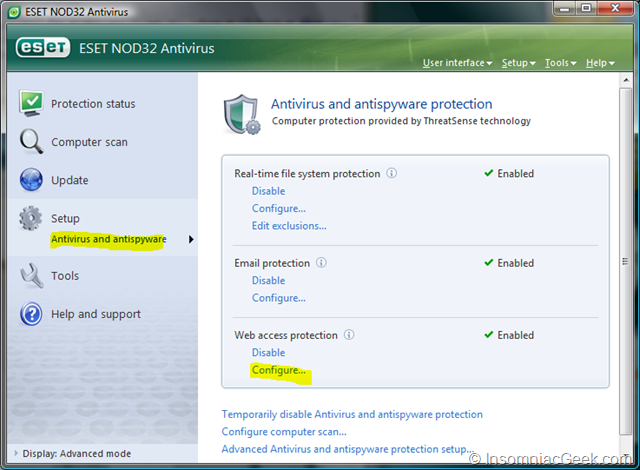
and click on Web Access protection->Configure…

Select “HTTP and POP3 ports” in the Protocol Filtering section.
Done!
This post is licensed under CC BY 4.0 by the author.