Arduino based Blend Micro gives error: Device Descriptor Request Failed in Device Manager
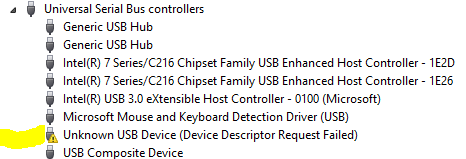
While experimenting with the Red Bear Lab Blend Micro, the board uploaded a sketch fine and then stopped being recognised by Windows — Device Manager showed “Device Descriptor Request Failed” and the COM port vanished. If you hit this on a Blend Micro (or any ATmega32U4-based board such as an Arduino Leonardo, Micro or Pro Micro), the fix is to upload a blank sketch during the short window right after a reset, before the faulty sketch takes over the USB.
Why it happens
Boards based on the ATmega32U4 implement USB in firmware as part of the running sketch — there is no separate USB-to-serial chip. If the uploaded sketch misbehaves around USB (puts the chip to sleep, runs a tight loop that starves the USB stack, or reconfigures the port), the board can no longer enumerate, so Windows reports a failed device descriptor and the IDE can no longer find a port to reprogram.
Re-installing the device drivers, which several other posts suggest, does not help here — the hardware simply is not responding as a USB device while the bad sketch runs.
The fix: upload during the boot window
The bootloader runs for a brief window (about 8 seconds on the Blend Micro) after a reset, before it hands control to the loaded sketch. During that window the board enumerates correctly and can accept a new upload.
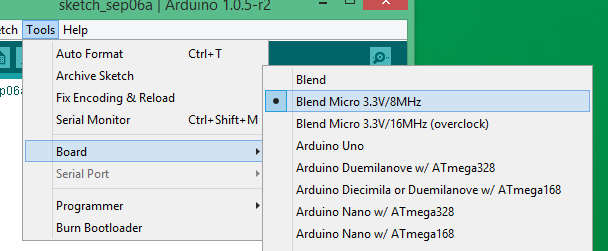
First, make sure the correct board is selected in the Arduino IDE:
Prepare an empty sketch so nothing can re-break USB once it is running:
void setup() {
  // put your setup code here, to run once:
}

void loop() {
  // put your main code here, to run repeatedly:
}
Then reboot the board with the reset button:
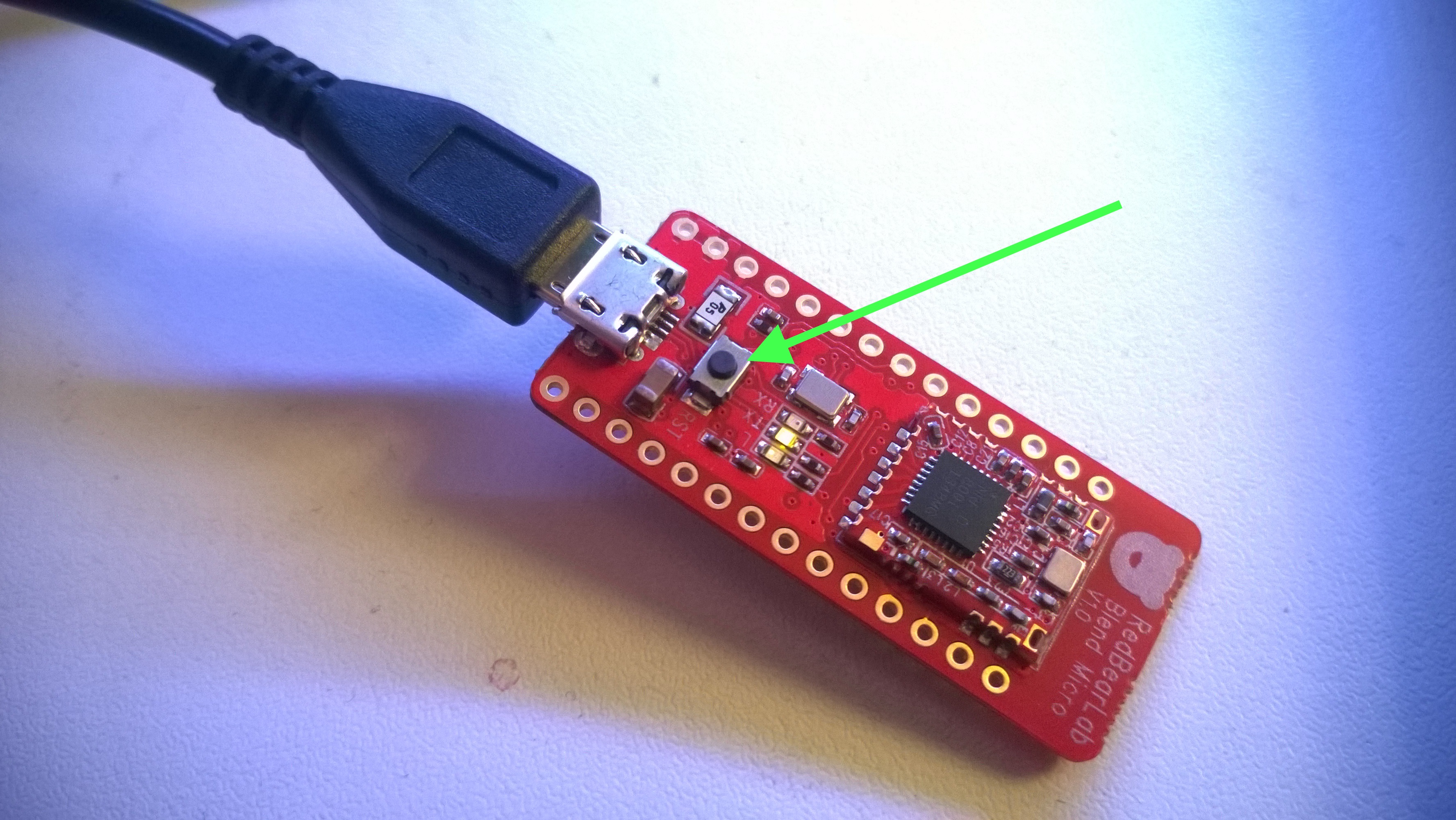
The timing is critical, so expect to try several times. A reliable approach is to click Upload first, wait about half a second, then press reset. On boards with auto-reset you can often double-tap the reset button to force the bootloader, then upload. Once the blank sketch is on the board, USB enumerates normally again and you can go back to uploading real sketches.